We have been made aware of an issue impacting some SSO users working with Microsoft 365.
The issue that has been identified is in Microsoft where the authentication endpoint is incorrectly redirecting some requests to a legacy test application, resulting in the below error code.
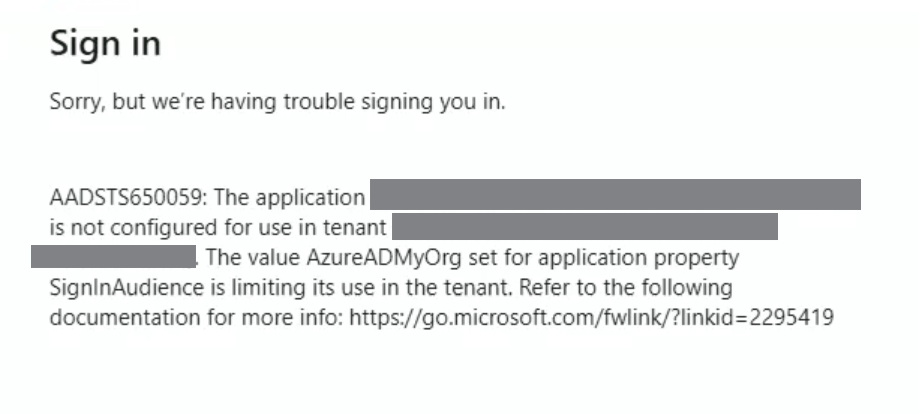
Please follow the below update to ensure this issue does not impact your Egnyte domain.
Instructions are provided below and are also available here
How to Unblock Your Users and retain SSO authentication
To restore or ensure stable authentication, you must switch from the "global identifier" to a "domain-specific identifier" by following these two steps:
Step 1: Update Settings in Egnyte
- Log in to your Egnyte domain as an Administrator.
- Navigate to Settings > Configuration > Security & Authentication.
- Locate your SAML Single Sign-On configuration.
- Find the setting "Use domain-specific issuer value" and set it to Enabled (or "On")
- Save your changes
Step 2: Update Settings in Microsoft Entra (Azure AD)
- Log in to your Microsoft Entra admin center.
- Go to Enterprise Applications and select your Egnyte application.
- Navigate to Single Sign-On settings.
- Under Basic SAML Configuration, locate the Identifier (Entity ID).
- Replace the global value https://saml-auth.egnyte.com/ with your specific domain URL: https://<your-domain>.egnyte.com/ or custom access URL (if any).
- Save the configuration in Microsoft Entra.
Was this article helpful?
That’s Great!
Thank you for your feedback
Sorry! We couldn't be helpful
Thank you for your feedback
Feedback sent
We appreciate your effort and will try to fix the article